Desktop app, version 0.6.7
Capture, annotate, and share in seconds
The app sits in your Windows tray or Mac menu bar. A shortcut freezes the screen, you drag an area, and the tools appear right on top of it. Then copy, save, upload, or edit online.
Free No watermark Windows and Mac
 Add to Chrome
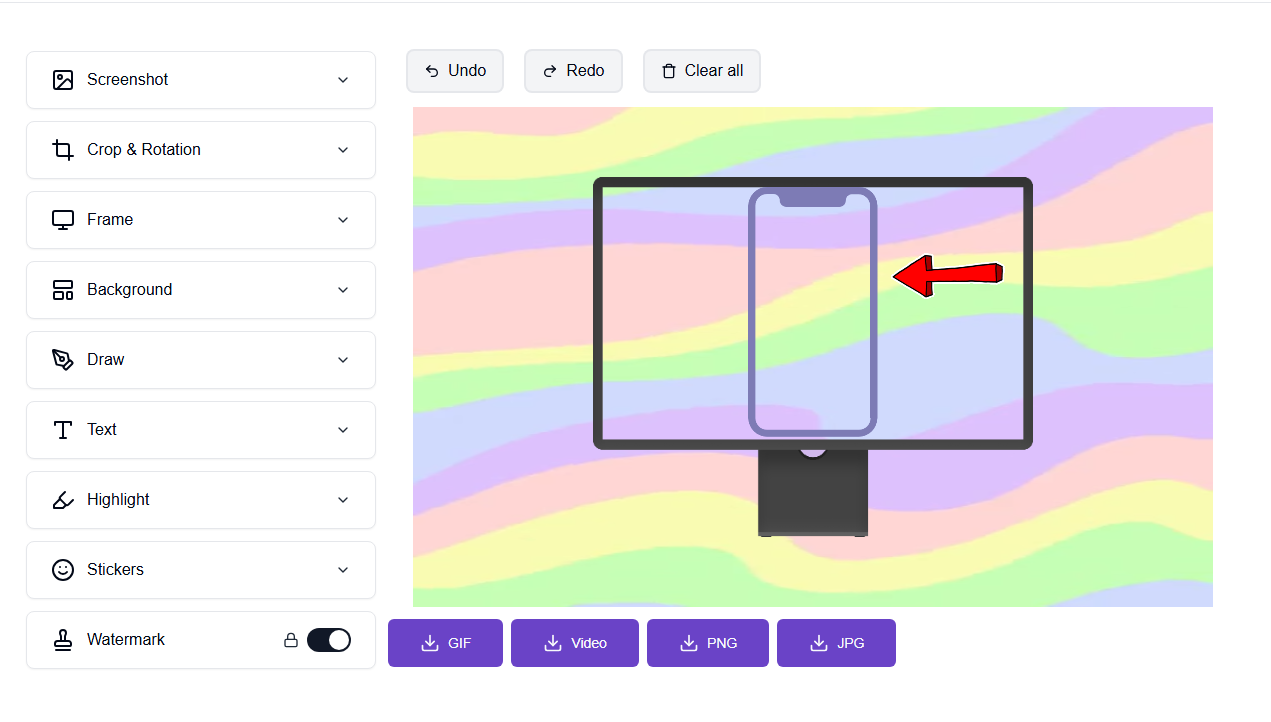
Annotate in place, then copy, save, or keep editing online.
Download for your device
Pick your platform. We highlight the build that matches this computer when we can.
Windows
Version 0.6.7 · 92 MB
DownloadShow checksum
EditMyScreenshot-Setup-0.6.7.exe
SHA-256: a14369e4b754149b003b259c8faff75124a107014631aacf22f6e1b562d820ed
Mac (Apple Silicon)
Version 0.6.7 · 110 MB
DownloadShow checksum
EditMyScreenshot-0.6.7-mac-arm64-unsigned.zip
SHA-256: 9fce3237cf964e7f258a26b563a0f5b411d2cf2e20e7699f6f773ccdff92dee2
Mac (Intel)
Version 0.6.7 · 116 MB
DownloadShow checksum
EditMyScreenshot-0.6.7-mac-x64-unsigned.zip
SHA-256: 04b47e995f999d421b21399f07f510e486977ca5eac9f97afadfdb9237b0115c
Not sure which Mac build to use? Open the Apple menu, choose About This Mac, and look at Chip. If it says Apple M (for example Apple M1, M2, or M4), download Apple Silicon. Otherwise download Intel.
Capture in place
A shortcut or tray click freezes the screen. Drag an area, then annotate on a transparent overlay.
Tools you need
Arrow, line, pen, marker, shapes, blur, and text. Then copy, save, upload to your gallery, or edit online.
Record too
Capture a window, the full screen, or a delayed shot. Record a screen, window, or area with a microphone.
Install in three steps
Windows
- Download the installer and open it.
- If SmartScreen appears, click More info, then Run anyway.
- Finish setup. Click the tray icon or press Print Screen to capture.
Mac
- Unzip the download and move the app to Applications.
- Right-click the app, choose Open, then Open again. Or run
xattr -cr /Applications/EditMyScreenshot.app - Allow Screen Recording in System Settings, Privacy & Security, then relaunch.
Frequently asked questions
Is the desktop app free?
Yes. Capture, annotate, copy, and save are free, with no watermark. You can use the app without an account. Signing in is only needed if you want to upload shots to your gallery or edit them online.
Windows says "Windows protected your PC." What should I do?
This is Microsoft SmartScreen, which often appears for new or unsigned installers. In the SmartScreen window, click More info, then click Run anyway. That installs the app. After setup, it stays in the tray. Click the icon or press Print Screen to capture an area.
Mac says the app cannot be opened because it is from an unidentified developer. How do I open it?
These Mac builds are unsigned, so Gatekeeper may warn the first time. Right-click EditMyScreenshot.app, choose Open, then click Open again. If macOS still blocks it, run this in Terminal: xattr -cr /Applications/EditMyScreenshot.app Then open the app again.
How do I allow Screen Recording on a Mac?
The first capture will prompt you. Open System Settings, go to Privacy & Security, then Screen Recording, and turn on EditMyScreenshot. Quit the app completely and reopen it so the permission takes effect.
What are the keyboard shortcuts?
Windows: Print Screen captures an area, Shift+Print Screen captures the full screen, and Alt+Shift+1 to 4 are area, window, full screen, and start or stop recording. Mac: Option+Shift+1 captures an area, Option+Shift+2 a window, Option+Shift+3 the full screen, and Option+Shift+4 starts or stops a recording. If Windows Snipping Tool has taken the Print Screen key, the app shows a notice with the setting that frees it.
Which Mac build should I download, Apple Silicon or Intel?
Open the Apple menu, choose About This Mac, and look at Chip. If it says Apple M, for example Apple M1, M2, or M4, download Apple Silicon. Otherwise download Intel. If you pick the wrong one, the other build is on this page too.
Does it work offline, and where are screenshots saved?
Capture, annotate, copy, and save work without an internet connection. When you click Save, you choose the folder. Copy puts the image on your clipboard. Upload to your gallery or Edit online needs an internet connection, and a signed-in account for the gallery.
How is the desktop app different from the Chrome extension, and how do I uninstall?
The desktop app lives in the Windows tray or the Mac menu bar and can capture any screen, window, or area, then annotate in place. The Chrome extension captures from the browser and opens the same online editor. You can use both. To uninstall on Windows, go to Settings, Apps, and remove EditMyScreenshot. On a Mac, quit the app and move EditMyScreenshot.app from Applications to the Trash.